Likan by Veldris
Your data, described, checked and signed. Without a line of JSON.
Likan turns spreadsheets, databases and documents into a validated, signed data package. On-device AI finds the structure, the keys and the personal data for you, and everything works offline on your own PC.
From the Microsoft Store for Windows 10 and 11. Mac and Linux are coming soon.
- Works offlineNo account, sign-in or licence key
- On-device AINothing goes to a cloud service
- Post-quantum signingML-DSA (FIPS 204)
- WCAG 2.2 AAKeyboard, touch and pen
How it works
From the files you have to a package a platform can trust
Drop
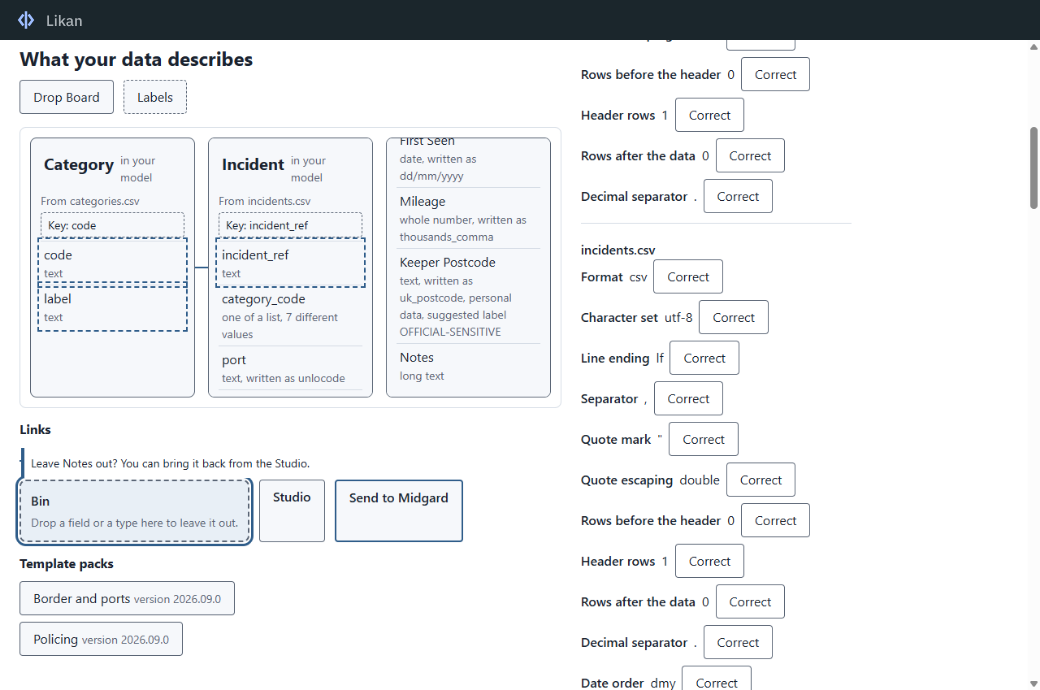
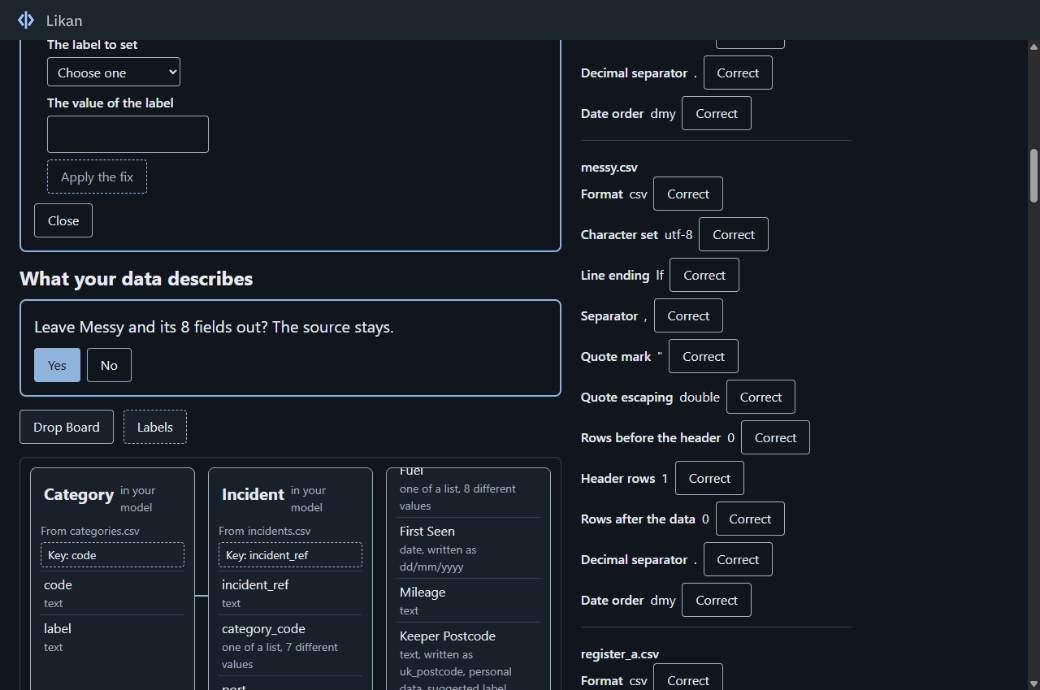
Drop files on the Drop Board, or point Likan at a database or an API. It reads CSV, Excel, JSON, XML, Parquet, GeoJSON, shapefiles, and tables in PDF and Word documents.
Describe
Likan proposes what your data describes: the types, the keys, the links between files. Connect, merge, label or leave out by drag and drop, or shape the model in the Studio.
Check
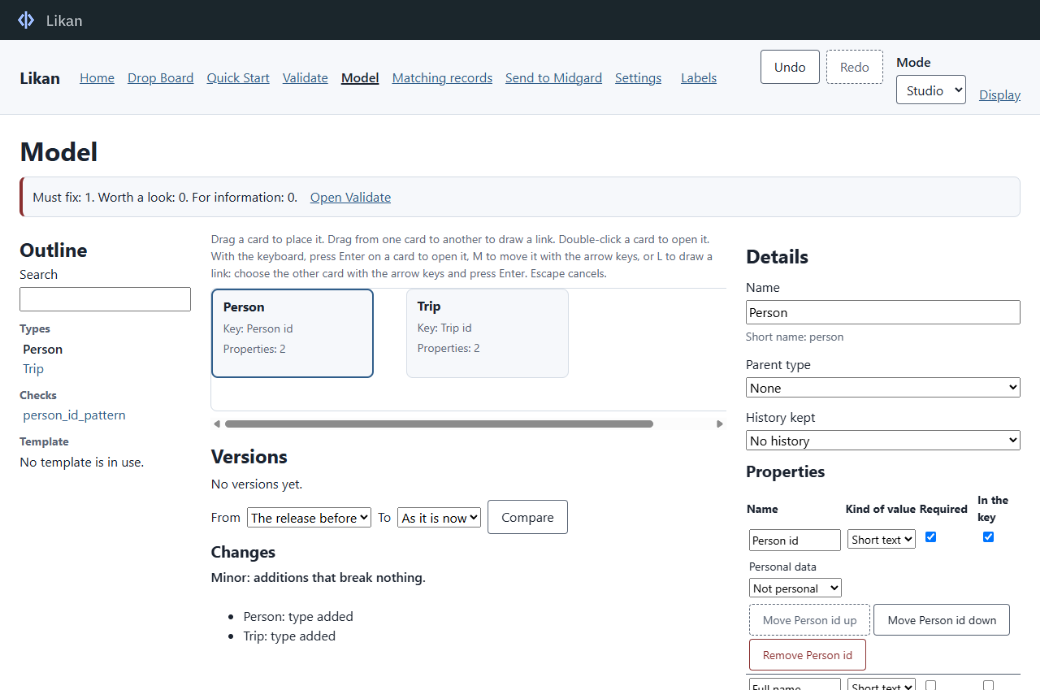
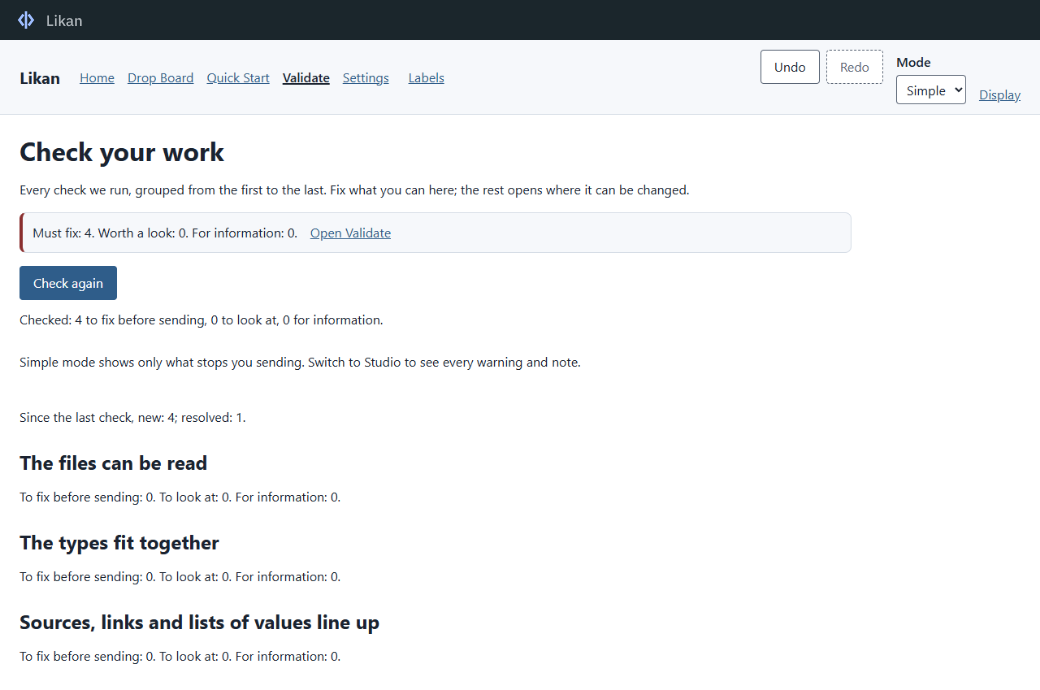
Six levels of checks, from files that will not read to personal data in the wrong place. Each finding is explained in plain English, with a fix where there is one.
Sign and send
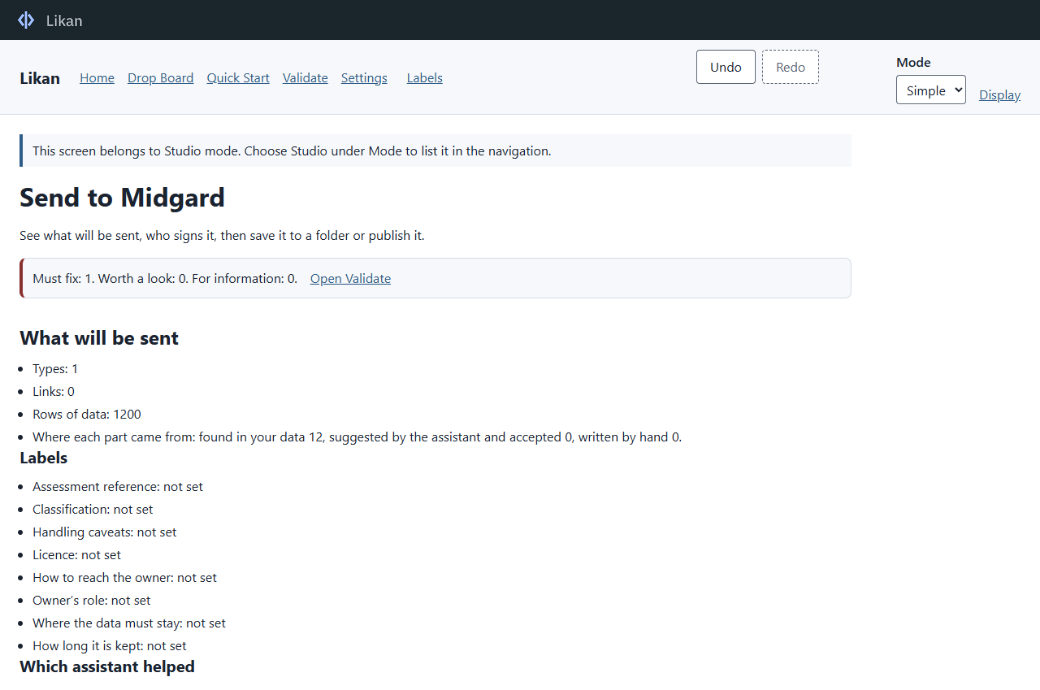
Governance labels are set, the package is hashed and signed on your PC, then saved to a folder or published to your organisation's Midgard platform.
Features
Built for the people who know the data best
The Drop Board
Sources become cards and suggested links are drawn for you. Every drag has a keyboard way, and works with a pen or a finger.
Three modes, one project
Simple mode for stewards, Studio for modelling, mapping and record matching, Expert for a text view and a full command-line tool. Switch at any time.
Bring your standards
Start from OWL, RDF, SKOS, JSON Schema, SQL DDL, STIX 2.1, NIEM or a CSV data dictionary, or a template pack scored against your data.
Mapping you can see
Map columns to properties with cleaning steps for dates, numbers, units, lookups and redaction, previewed on your own rows.
Governed by design
Classification, residency, owner, licence, retention and handling labels are required before a package is built.
Versioned and reviewable
Every model change is classed as patch, minor or major. Projects are plain YAML, ready for version control, with undo everywhere.
On-device AI
AI that classifies and identifies your data, and never leaves your PC
Likan's detection engine recognises formats, units, identifiers, keys, links between files and personal data such as names, addresses and postcodes. Its own open-licence language model suggests types, mappings, governance labels and fixes.
- Runs on your processor, or your graphics card where there is one
- Sealed in a sandbox with no network access at all
- Every suggestion shows its evidence and confidence
- Nothing is applied until you accept it
- Never restates personal data in what it writes
- No data goes to a cloud AI service
Security and privacy
Nothing to connect to, nothing sent anywhere
Offline by default
No account, no sign-in, no licence check, no telemetry and no update check. Likan connects to nothing unless you add a connection in Settings.
Signed for the long term
Packages are hashed and signed with ML-DSA, a post-quantum signature standard (FIPS 204), using an identity kept in Windows key custody.
Verified on every launch
The installation checks its own signed manifest each time it starts, and says plainly if any file is not what was installed.
Where your package goes
Made for the Midgard platform
Likan produces Midgard Ingestion Packages (MIP 1.0) for the Midgard platform from Veldris. Building, validating, signing and saving a package needs no connection to anything. Publishing online, team review on a shared server and the Mimir assistant need a Midgard deployment run by your organisation.
Requirements
What you need
| Component | Minimum | Recommended |
|---|---|---|
| Operating system | Windows 10 version 2004 (10.0.19041) or later, or Windows 11; 64-bit | Windows 11 |
| Processor | x64, 4 cores, AVX2, FMA and F16C (Intel Core i5 8th generation, AMD Ryzen 5 2000 series or newer) | x64, 8 cores (Intel Core i7 10th generation, AMD Ryzen 7 3000 series or newer) |
| Memory | 8 GB | 16 GB |
| Storage | 4 GB free, about 2.5 GB of it on the system drive | SSD with 8 GB free |
| Graphics | Any DirectX 11 graphics, including integrated graphics | Vulkan 1.2 or CUDA capable, such as NVIDIA GeForce GTX 1650 or AMD Radeon RX 5500, for faster AI |
| Display | 1366 x 768 | 1920 x 1080 |
| Input | Any one of keyboard, mouse, touch or pen | Keyboard and mouse; touch and pen supported |
On-device AI suggestions need a processor with AVX2, FMA and F16C and at least 6 GB of memory. On other PCs they are switched off and everything else works. The AI model is kept in your user profile on the system drive (about 2.5 GB). Likan uses Microsoft Edge WebView2, which is part of Windows 11 and is kept up to date on Windows 10 by Windows Update.
Accessibility
Mouse, keyboard, touch or pen
Likan is built to WCAG 2.2 AA, in light, dark and high-contrast themes, in plain British English. Every drag works with a pen on a Surface or other pen-enabled PC and has a keyboard way; handwriting goes into any text field.
Questions
Frequently asked
Does Likan need an internet connection?
No. Once installed, everything works offline: detecting, modelling, mapping, checking, signing and saving. The Microsoft Store needs a connection to install it.
Does my data leave my computer?
No. Likan, including its AI, works on your PC. Data goes elsewhere only if you add a connection, such as your organisation's Midgard platform, and choose to publish.
Do I need Midgard to use Likan?
To build, check, sign and save packages, no. The packages are made for Midgard, and publishing them online needs your organisation's Midgard deployment.
Is there a Mac or Linux version?
Likan is available for Windows now, from the Microsoft Store. The Mac App Store, Flathub and Linux packages are coming soon; news is published at veldris.io.
Does it run on HoloLens or Arm PCs?
Not as an app. Likan needs a 64-bit Intel or AMD processor. HoloLens will be able to use Likan's web application in Microsoft Edge once it is released.
Can my IT team deploy it?
Yes. Organisations can deploy the Microsoft Store app with Intune. For managed estates and offline networks, Veldris also provides a signed MSI; contact Veldris at hello@veldris.io.
Download
Get Likan
-
Microsoft Store
Available nowWindows 10 and 11
64-bit (x64) PCs, Windows 10 version 2004 or later
Get it from the Microsoft Store -
Mac App Store
Coming soonmacOS
Apple silicon and Intel Macs
Not available yet. News of new platforms is published at veldris.io.
-
Flathub
Coming soonLinux
Any distribution with Flatpak
Not available yet. News of new platforms is published at veldris.io.
-
Linux packages
Coming soonLinux
AppImage, deb (Debian, Ubuntu), rpm (Fedora, RHEL) and the AUR
Not available yet. News of new platforms is published at veldris.io.